
Test display and interaction in the work step
Smart glasses in industry: Matching controls to the task
Someone holding an assembly with both hands cannot look up an inspection instruction on a tablet at the same time. Smart glasses can bring the information into view. Whether this makes the work step easier also depends on how the display is controlled, how an entry is recorded and what happens when an observation is unclear.
Industrial use of smart glasses therefore requires the task, display and interaction method to fit together. A short result field places different demands on the user than a spatial marker on a component. An instruction read while standing must also work when someone bends down, uses a tool or needs both hands for a secure grip.
Does the device fit the task?
Three questions to test at the workplace.
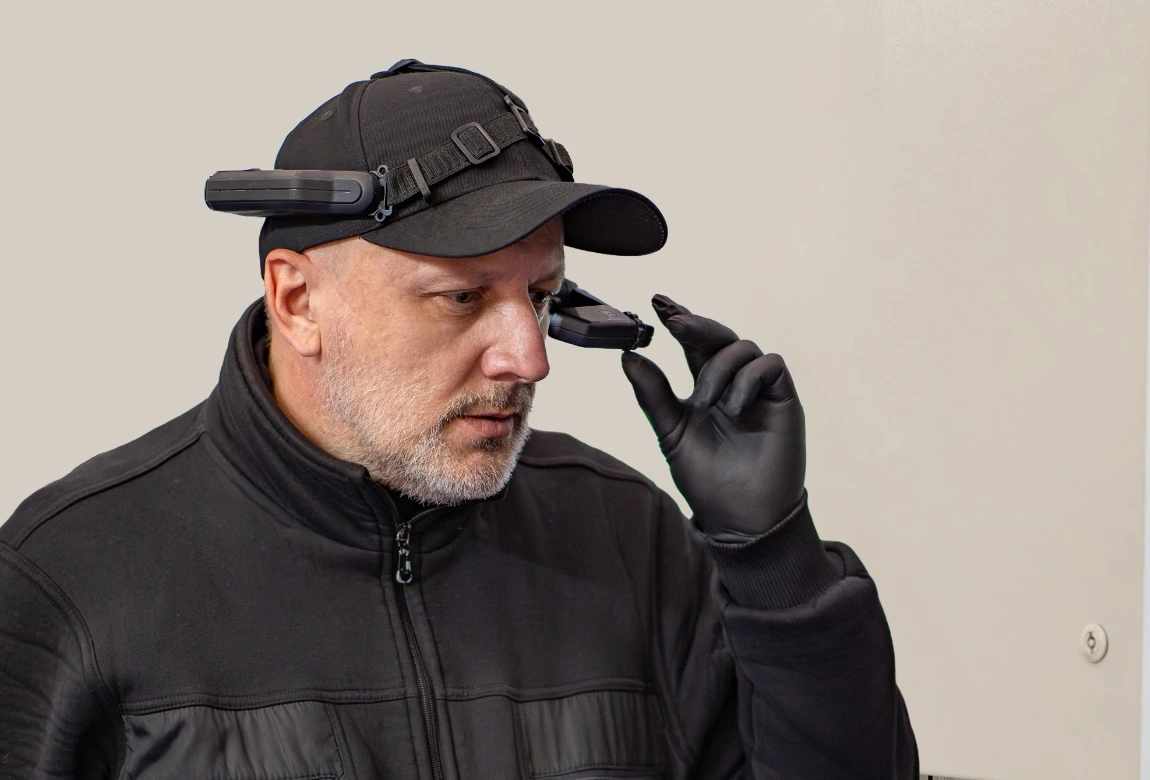
- Check the fit
Does the device stay in place during movement, including with the required protective equipment?
- Position the display
Can the display be positioned so the instruction is in view?
- Read the instruction
Can I read the instruction and still see the work area?
What smart glasses display
Smart glasses are head-worn devices that display digital information in front of one or both eyes. How this information relates to the surroundings differs between devices and applications. If a device value is also received, integration through the IoT gateway must connect it with its source and the correct work step.
In assisted reality, a small display can show an inspection instruction, a measured value or a video image. The information is not spatially anchored to a real component. Spatial augmented reality, in contrast, can display a marker or digital object so that it appears assigned to a location in the surroundings. The application must establish and maintain this spatial relationship during use.
An AR headset is therefore one possible device class for industrial tasks. For a short instruction or remote guidance, a display without spatial anchoring may be sufficient. The decision starts with the information needed during the task.
Comparing the devices studied
The following overview distinguishes six devices or configurations from the cited publications. It describes the study setups at the time and the questions derived for a trial of your own. It does not state which devices 420+ supports or approves for a particular use. A transparent display alone does not mean that content is spatially anchored to a component.
Comparison table: scroll horizontally if needed
| Device or configuration | Display | Interaction in the respective publication | Study and question for your own selection |
|---|---|---|---|
| RealWear Navigator; model not specified further in the methods section | Head-worn display showing one assembly step at a time | Hands-free access to instructions; the precise interaction method is not detailed in the methods section | LEGO assembly: Can the next instruction be accessed without unnecessarily interrupting the current action?[3] |
| RealWear Navigator 520 | Small display in front of one eye | Voice commands to control remote guidance | Simulated ship environment: Do instructions and surroundings remain sufficiently perceptible while walking, bending and kneeling?[1] |
| Microsoft HoloLens 2 | Transparent display for digital content in the field of view | Hand gestures to navigate a virtual manual | Computer component assembly and disassembly: How much additional hand movement and interaction time does the instruction require?[4] |
| Trimble XR10 with HoloLens 2 | HoloLens 2 display in a hard-hat configuration | Remote guidance controlled through hand movements in space | Simulated ship environment: How does the combination of hard hat, display and interaction affect movement through the workspace?[1] |
| Vuzix M400 | Small, optically non-transparent display in front of one eye; described as “video see-through” in the maintenance paper | Maintenance paper: voice commands tested and touchpad described in the workflow. Emergency care prototype: voice commands and hand gestures | Maintenance and data capture: Does input work under the intended noise conditions, and can recorded entries be checked reliably?[2][7] |
| Vuzix M4000 | Transparent waveguide display in front of one eye | The review discusses voice, touch interaction and buttons; no uniform interaction experiment | Device ergonomics: Can the display be adjusted appropriately, can controls be reached while wearing a hard hat, and do cables or weight distribution interfere?[8] |
The last column contains editorially derived test questions, not demonstrated advantages of the devices. For the Navigator in the LEGO study, the bibliography refers to the Navigator 500, while the methods section names only the device family. Its results are therefore not attributed to the Navigator 520. The two HoloLens configurations also remain separate: a virtual manual at an assembly station and remote guidance with a hard hat in a moving work environment place different demands on the user.
An inspection point through smart glasses
A fictional example: Someone inspects an assembly for visible damage. They hold the part, change its position and examine a defined area. The smart glasses display the relevant inspection instruction. The person conducting the inspection judges the area observed.
Four elements must fit together in this step:
| Layer | In the example | Responsibility |
|---|---|---|
| Display | Provide the instruction for the step | System |
| Action | Examine the assembly and assess the observation | Human |
| Input | Enter the inspection result | Human |
| Assignment | Connect the entry to task, object, instruction, person and time | Requirement for the system used |
A photo can provide supplementary documentation of an unusual area. Whether it shows the relevant area and supports a finding must be assessed separately. Taking the photo alone does not complete the visual inspection.
If the person cannot clearly classify the area, the planned workflow must allow an appropriate response. This may include asking for clarification or repeating the inspection. With Human in the Loop, human judgement must be able to influence what happens next. A forced pass result would conceal the uncertainty.
From instruction to an assigned entry
- 01Display instructionSystem
- 02Assess observationHuman
- 03Enter resultHuman
- 04Assign entrySystem requirement
Display, input, images and analysis serve different purposes
The display helps someone perform the work step. Input records an entry. An image capture provides image material. Subsequent analysis can examine that material or the recorded data. Whether an application provides all four functions and how they connect must be established for the specific use.
This distinction is particularly important for speech. Recognition of a spoken value initially says only what content the application captured. The person must be able to tell whether the value was captured correctly and how an incorrect entry can be corrected.
A development study on data capture with a Vuzix M400 in emergency care describes precisely these interaction issues. The prototype used voice commands and hand gestures. Participants reported, among other issues, the need to correct transcriptions of specialist abbreviations. The study offers design insights; effects on actual emergency care workflows, attention or workload were not measured. The research team also extended training between development phases.[2]
This yields a concrete question for industrial trials: Can the person check and correct the captured entry while safely continuing their actual task? For subsequent use, the context model must connect the entry to the relevant task, inspected object and applicable instruction.
What different experimental results actually show
Research does not provide a consistent ranking of smart glasses, tablets and paper. Each study examines a particular setup with particular people and tasks. Three examples show why the comparison medium and statistical interpretation belong with the result.
Comparison table: scroll horizontally if needed
| Study | Setup | Result and limitation |
|---|---|---|
| Boroujeni and colleagues, 2026 | Twelve-step LEGO assembly; 33 participants from non-technical degree programmes; paper, tablet or RealWear Navigator | Smart glasses produced the highest mean number of completed steps per minute. However, no individual pairwise comparison is reported for speed. The lower error rate is supported against paper. The tablet achieved the highest mean score in the usability questionnaire used.[3] |
| Dorloh and colleagues, 2023 | Computer component assembly and disassembly; 21 college students without computer assembly or disassembly experience; HoloLens 2, paper or laptop video | Completion took significantly longer with AR instructions across the tasks studied. Assembly produced significantly fewer errors than paper; the difference in errors compared with video was not significant.[4] |
| Eversberg and Lambrecht, 2023 | Familiar repair task; ten experienced metalworkers; paper or an assistance system with a touchscreen and separate AR monitor | Mean completion time was 21.2 per cent lower with the assistance system. This time difference was not statistically significant. The study examined screen-based assistance, not smart glasses.[5] |
The LEGO participants had no prior experience with smart glasses and received a short introduction. In the computer component experiment, both instruction presentation and interaction differed alongside the devices. The repair study used a more extensive assistance system. These conditions cannot be combined into a common effectiveness measure.
The differences offer clues for selection. They do not, however, isolate how much of a result comes from the device, instructions, interaction or practice. In digital work instructions, too, the repair study's result concerns the entire workstation examined.
Your own trial should therefore consider completion time, errors and interaction effort separately. A workflow may produce fewer errors and take longer at the same time. Whether this improves the task depends on which errors need to be prevented and where the additional effort arises.
Spatial overlays or a small display
A spatial overlay can help locate an area on an object. At the same time, it requires the person to perceive both the display and the real surroundings sufficiently. A small display showing text or video places different demands on field of view and navigation. Both concepts must be tested in the intended movement space.
A study with 60 participants compared remote guidance through two headsets and a smartphone in a simulated ship environment. Certain head and knee contacts were recorded more frequently with the Trimble XR10 with HoloLens 2 than with the RealWear Navigator 520 and smartphone. No significant difference in these contacts was reported between the Navigator and smartphone. The cited work is an arXiv version from 2025.[1]
This is not general evidence of safety for a device class. Device, display and interaction varied together in the experiment. The finding nevertheless shows that a display usable at a quiet workstation can place different demands on the user when moving around or passing through low openings.
Three questions help with selection: Must information appear spatially at the object? Must the person move while using the display? And what interaction becomes necessary when they change position? The answers determine which display concept should be tested in your own workflow.
A maintenance paper by Sara, Todde and Caria examined a Vuzix M400 through technical tests of QR codes, audio and video transmission, and voice commands. A step-by-step guide for inspecting a milking machine was also developed. Four operators tested 39 voice commands under different noise conditions. At 75 dB, recognition rates differed substantially between individuals; at 80 and 85 dB, only a few or no commands were recognised. This concerns the setup studied in 2022 and is not a general noise limit for present-day M400 applications. It did not demonstrate faster or less error-prone maintenance compared with paper.[7]
Your own interaction trial must therefore account for noise peaks and differences between the intended operators. In Sara's measurements, the agricultural machinery room studied averaged 96.7 dB, well above the noise levels at which voice commands were still predominantly recognised in the experiment.[7] A voice function that works in quiet surroundings must therefore also prove itself under the task's actual noise conditions.
What wearing the device entails
Interaction also includes wearing the device. Display position, visibility of the work area and compatibility with safety glasses or a hard hat must fit the task. A short test in a meeting room does not show how the combination behaves under workplace conditions.
In an occupational medicine review from 2020/2021 focusing on goods logistics and order picking, Holz and colleagues summarise studies in which smart glasses sometimes caused greater visual fatigue than conventional displays. They also describe the limited and inconsistent research base at that time. This supports neither a general assurance of harmlessness nor a blanket judgement that today's devices are unsuitable.[6]
An industrial review by Solomashenko and colleagues adds an ergonomic perspective. For the Vuzix M4000, it describes difficulties adjusting the display, reaching buttons while wearing a hard hat, interfering cables and uneven weight distribution. The same review lists compatibility with personal protective equipment, connection of an external battery and a low weight of less than 200 grams as advantages. These reported advantages and drawbacks rely on a mixture of open sources, company material and user experience. They provide selection criteria, not representative frequencies or controlled evidence of reduced work performance.[8]
A trial should therefore also include intended wearing duration, changes in gaze and the amount of information actually needed. What matters is whether the person can read the instruction and then assess the work area. In context-aware assistance, presentation must therefore also fit gaze direction, posture and the working environment.
What must be clear when confirming
A confirmation can complete a step or influence the subsequent workflow. The person must recognise the effect of their input, which content they are confirming and whether the application accepted it. Missing or ambiguous feedback can make even a short interaction difficult to manage.
For speech, recognition, ambient noise and specialist terms may matter.[2] For a button-based interaction, one test question is: Could the person press the button accidentally or for the wrong display? The trial should therefore observe whether the intended action is unambiguous and whether an incorrect entry can be corrected in a controlled way.
Assignment to the person acting also belongs in the application's specification. The input method alone does not establish that assignment. For a confirmation to remain traceable in the audit trail, its relationship to the person acting and the relevant operation must be established.
Smart glasses in the 420+ execution mode
420+ integrates smart glasses into its SOP-guided execution mode. Measured values and unusual observations can be captured during execution; recorded data and images can subsequently be analysed. Interaction can be configured for the respective process.
For the specific use, it must be clear which interaction method is intended for which step, which entry is expected and what effect a confirmation has. This specification forms the basis for a workplace trial. It cannot be derived solely from the choice of headset.
Start the first trial with a concrete task
The cited studies examine neither 420+ nor a general standard for industrial smart glasses applications. They show the differences that can become visible when a specific workflow is tested with a particular display and interaction method.
A first trial can therefore focus on a clearly bounded step: the same inspection instruction, the same task, a defined input and an observable response to unclear or incorrect entries. Alongside completion time, what matters is whether the person perceives the work area sufficiently and can check their result without unnecessary steps.
Which work step currently requires both hands, a view of the instruction and a traceable entry at the same time — and which of these three demands must the smart glasses demonstrably meet better in the trial?
Primary sources and further reading
- Camacho-Fidalgo, G. et al. (2025): Analyzing the Impact of Augmented Reality Head-Mounted Displays on Workers’ Safety and Situational Awareness in Hazardous Industrial Settings. arXiv:2503.04075v1, 6 March 2025. Device setup and experiment: sections 3.1–3.9; Contact findings: section 4.1, PDF pp. 5. Original paper
- Zhang, Z.; Bai, E.; Xu, Y.; Stepanian, A.; Park, S. Y. (2025): Designing Hands-Free Technology to Support Real-Time Patient Data Collection and Documentation for Emergency Care Settings. International Journal of Human–Computer Interaction. DOI 10.1080/10447318.2025.2556236. Transcription and interaction design: physical PDF p. 17; Training and limitations: PDF p. 20. Original paper
- Arjmand Boroujeni, S. B.; Schulz, D.; Unbehaun, D. (2026): Sustainable digital transformation in training: evaluating manuals, tablets, and smart glasses for procedural guidance in an assembling process. i-com. DOI 10.1515/icom-2025-0051. Methods: sections 3.2–3.3, PDF pp. 4–5; Results: sections 4.1.1–4.1.2 and table 1, PDF pp. 6. Original paper
- Dorloh, H.; Li, K.-W.; Khaday, S. (2023): Presenting Job Instructions Using an Augmented Reality Device, a Printed Manual, and a Video Display for Assembly and Disassembly Tasks: What Are the Differences? Applied Sciences 13(4), 2186. DOI 10.3390/app13042186. Time: PDF p. 10; Assembly errors and pairwise comparisons: PDF p. 11; Limitations: PDF pp. 14–15. Original paper
- Eversberg, L.; Lambrecht, J. (2023): Evaluating digital work instructions with augmented reality versus paper-based documents for manual, object-specific repair tasks in a case study with experienced workers. The International Journal of Advanced Manufacturing Technology 127, 1859–1871. DOI 10.1007/s00170-023-11313-4. Screen setup: section 4.1; Time difference and significance: section 5.1. Original paper
-
Holz, A. et al. (2021; online 2020): Datenbrillen am Arbeitsplatz – Informationsdichte am Auge. Zentralblatt für Arbeitsmedizin, Arbeitsschutz und Ergonomie 71, 24–28. DOI 10.1007/s40664-020-00394-7. Historical research base and visual strain: PDF pp. 2–3. Original paper
-
Sara, G.; Todde, G.; Caria, M. (2022): Assessment of video see-through smart glasses for augmented reality to support technicians during milking machine maintenance. Scientific Reports 12, 15729. DOI 10.1038/s41598-022-20154-2. Setup and speech test: PDF pp. 3–4; Speech results and noise measurements: PDF p. 7, tables 4–5; Interaction and maintenance scenario limitations: PDF pp. 9–10. Original paper
- Solomashenko, A. B. et al. (2025): Industrial applications of AR headsets: a review of the devices and experience. Light: Advanced Manufacturing 6, article 23. DOI 10.37188/lam.2025.023. Source base: PDF p. 1; M4000 display: PDF p. 8; Ergonomic observations: PDF p. 16; Comparison limitations and application criteria: PDF p. 25. Original paper