
Platform · Home
Four steps, one starting point.
Home brings together what is next for the signed-in user: tasks, key figures, notes and messages from the areas they are authorized to access. Select a step to see what is displayed and recorded there, which evidence is linked to it, and which areas contribute.
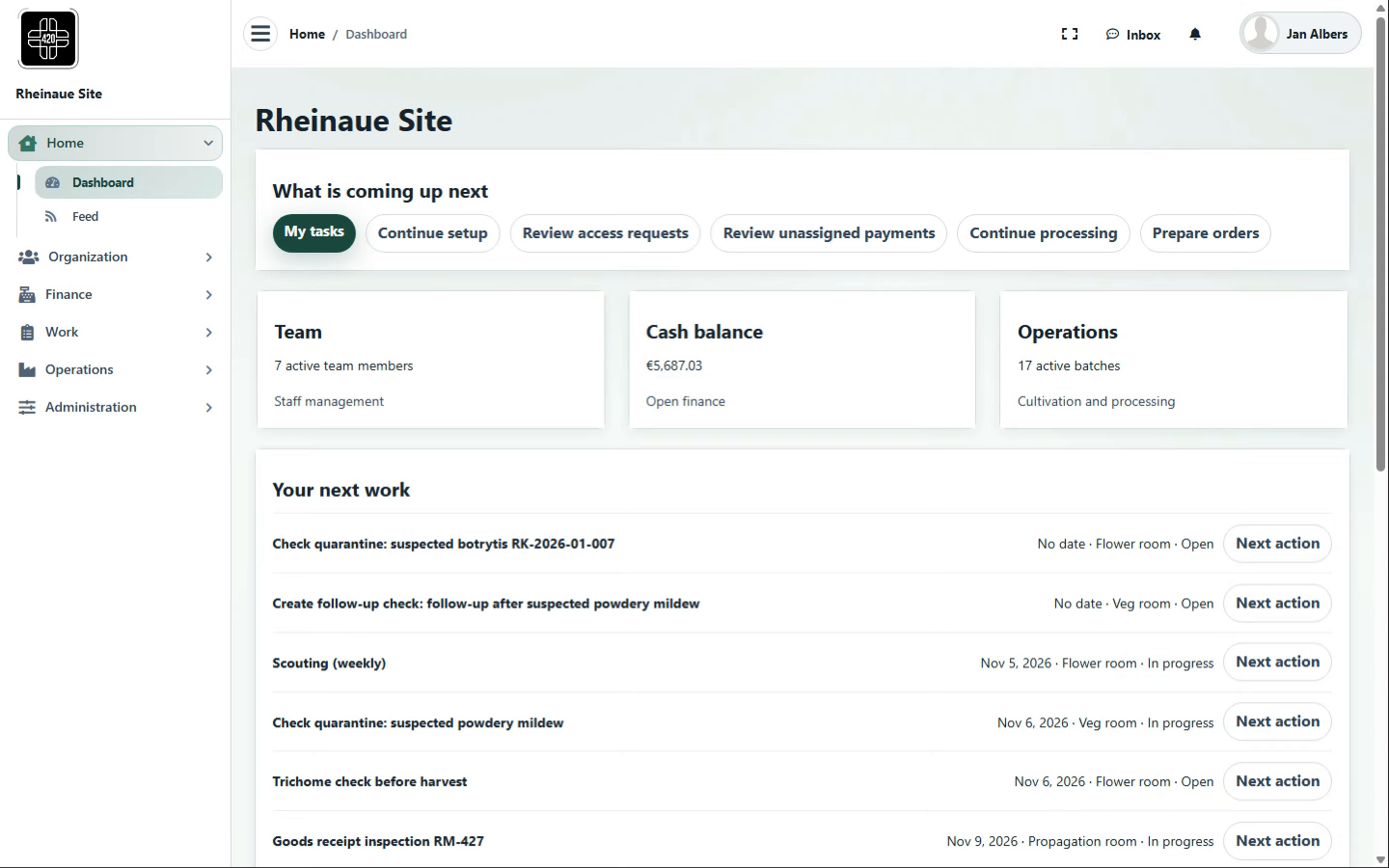
DashboardWhat is coming up next
- Records
- Quick links to pending items, key figures for the team, cash balance and active batches, and the user’s next tasks with due date, area and status.
- Evidence documented
- What is coming up, and what is still open?
- In the chain
- Sign-in → Dashboard → area
- Works with
- Work (own tasks), Finance (cash balance), Operations (active batches), Organization (team, access requests for review)
- Expansion (optional)
- Configurable key figures per area
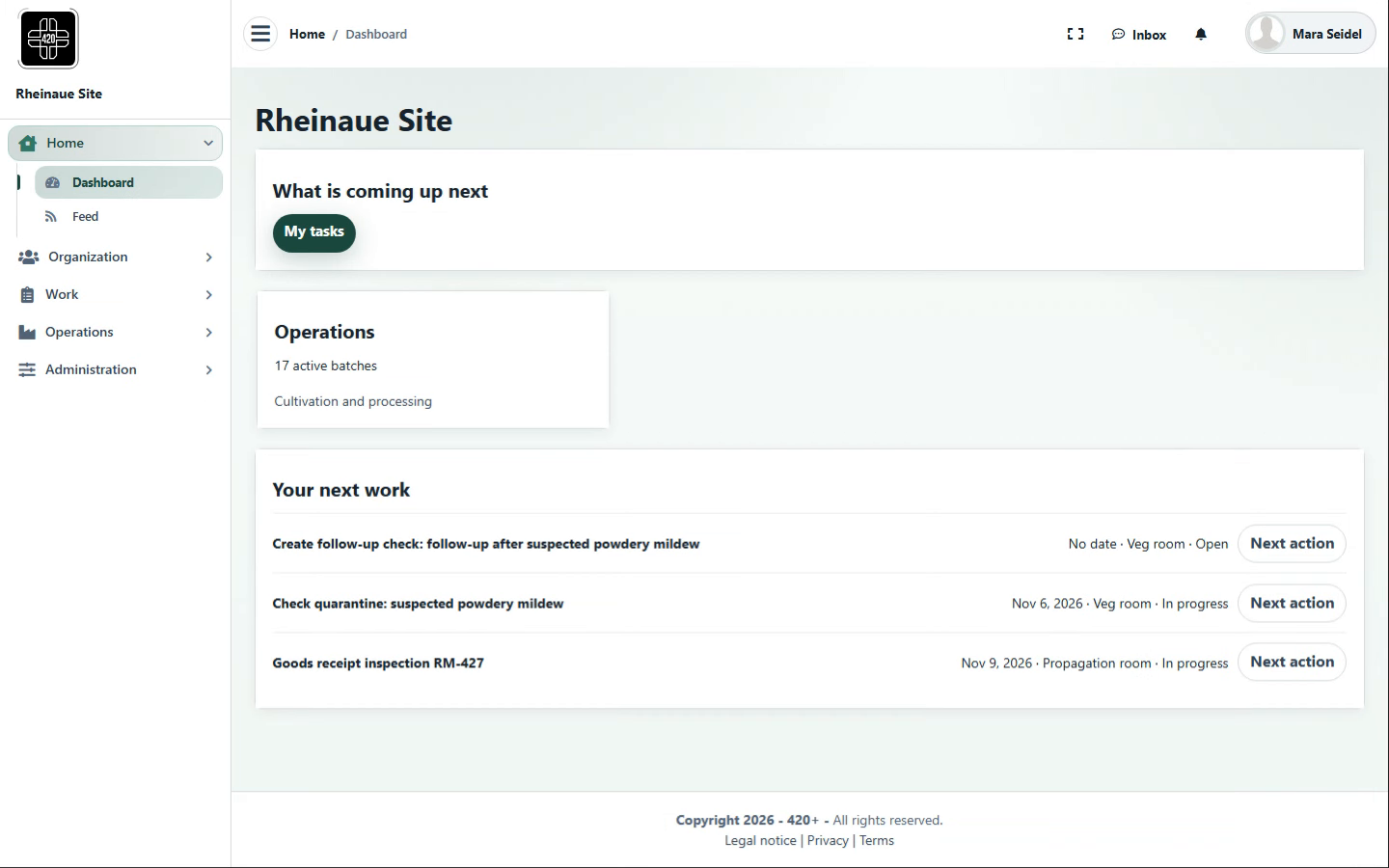
Role viewView by role
- Records
- Areas, tiles and tasks are displayed according to the signed-in user’s configured role; content not assigned to that role is not displayed.
- Evidence documented
- Who sees what, and who works on what?Annex 11 (role-based access control)
- In the chain
- Dashboard → Role view → Feed
- Works with
- Organization (roles per person), Administration (permissions)
- Expansion (optional)
- Custom home pages per role
Contributing areas
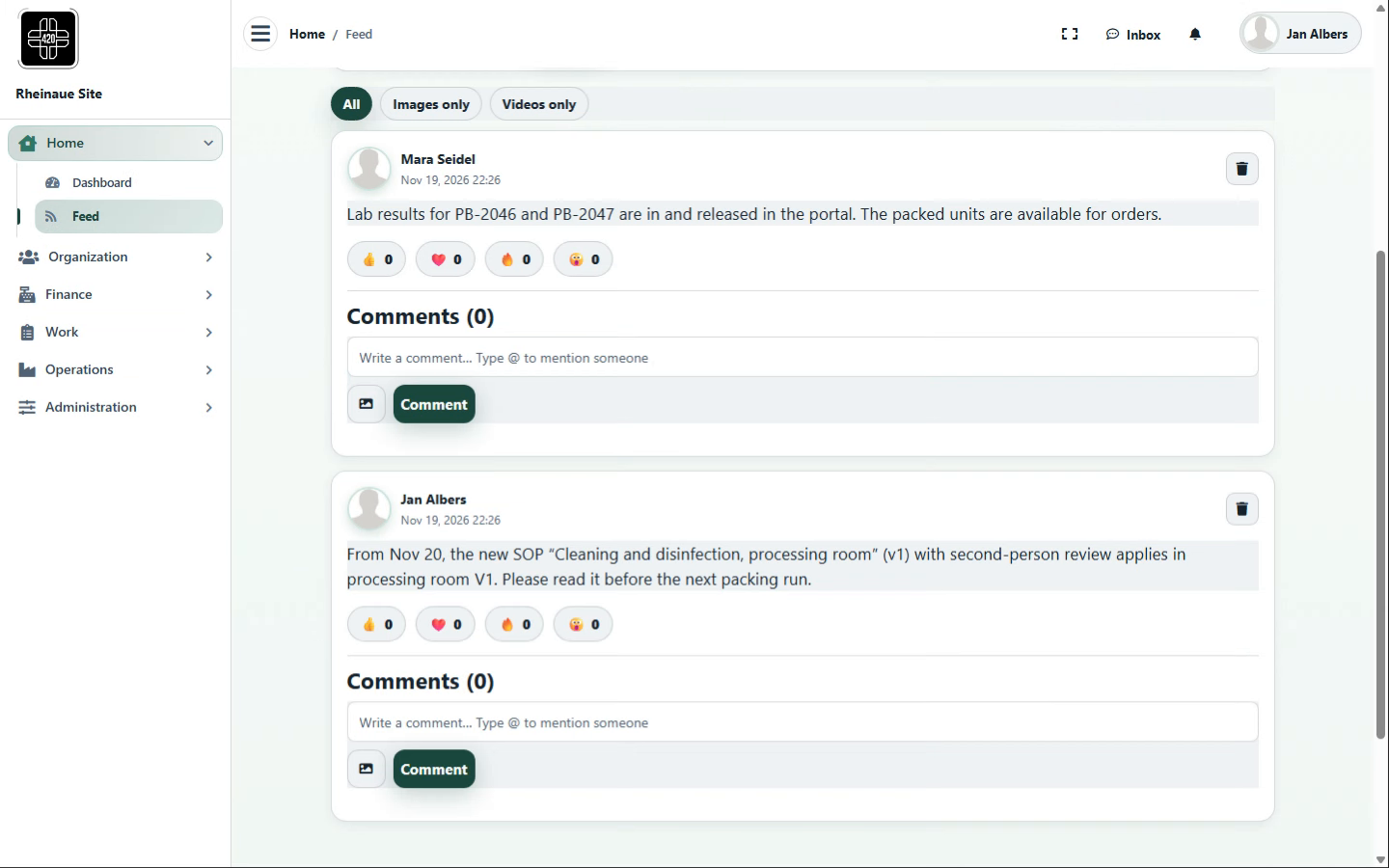
FeedNotes to the team
- Records
- Internal posts with text, images or video, mentions and comments.
- Evidence documented
- What was shared with the team, and when?
- In the chain
- Role view → Feed → Inbox
- Works with
- Administration (new SOP versions), Operations (releases and status)
- Expansion (optional)
- Read acknowledgment for mandatory notes
Contributing areas
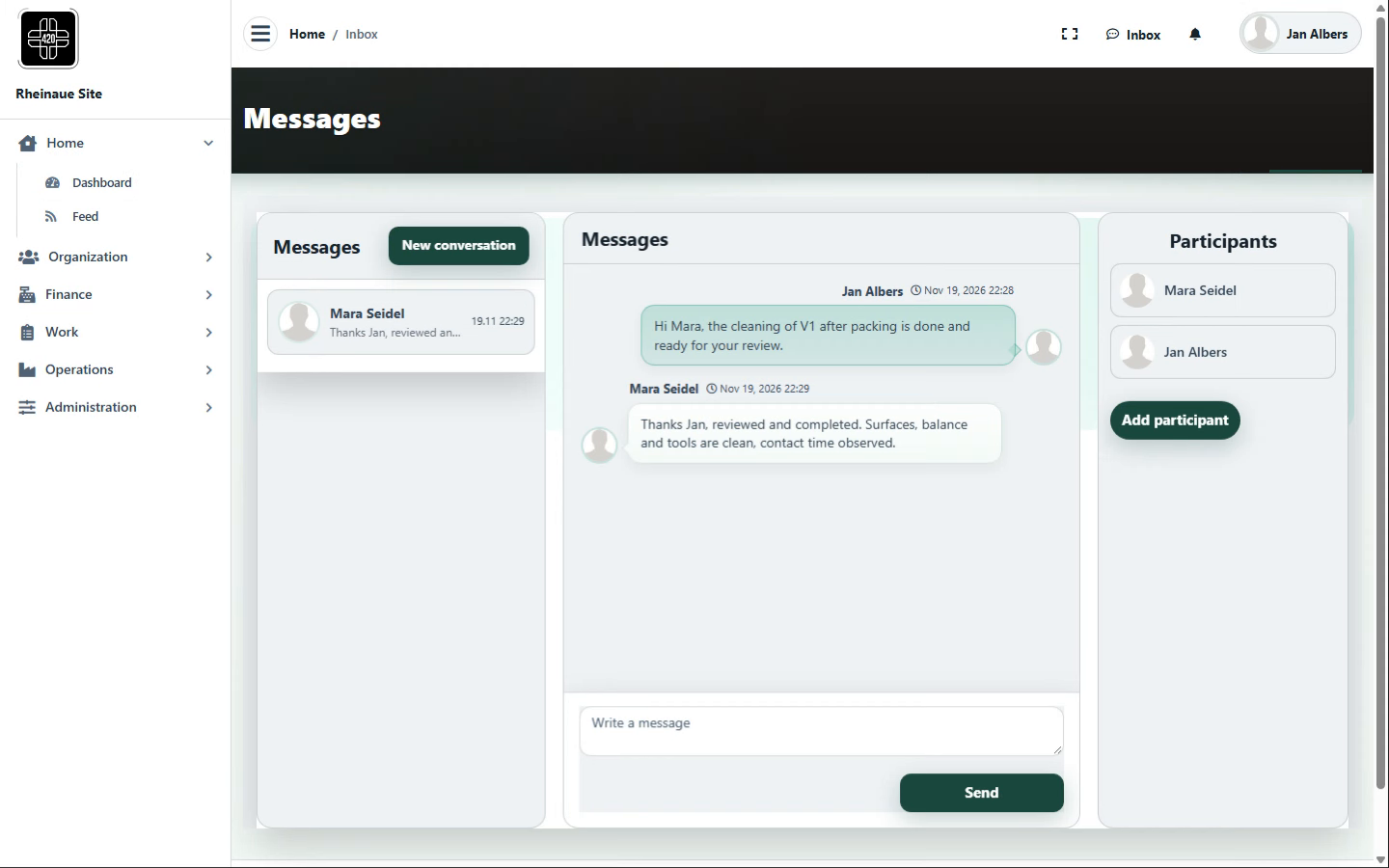
InboxMessages and notifications
- Records
- Conversations between people with listed participants; notifications are sent automatically, for example when a payment could not be matched.
- Evidence documented
- Who told whom what, and what was flagged?
- In the chain
- Feed → Inbox → Work
- Works with
- Work (review), Finance (bank reconciliation)
- Expansion (optional)
- Messages attached directly to a task or batch
Contributing areas
Workflows, roles, review requirements and links are configurable per site and process; regulatory suitability depends on use, configuration, validation, site procedures and assigned responsibilities at each site.
Original screenshots from the demo instance with fictional data; the screenshots are for illustration and do not represent a complete GxP process.
The screenshots show 420+ using a fictional cannabis operation as an example, with fictional process data. The workflows shown may also serve as examples for other regulated sectors. This is not advertising for cannabis or cannabis cultivation associations and does not indicate any licence, approval or regulatory recognition.