
Platform · Finance
Five steps, one cash balance.
Finance links receipts, bank transactions, portal account balances and invoices to operations and, where applicable, to the individual batch. Select a step to see what it records, which evidence is linked to it, and which areas contribute.
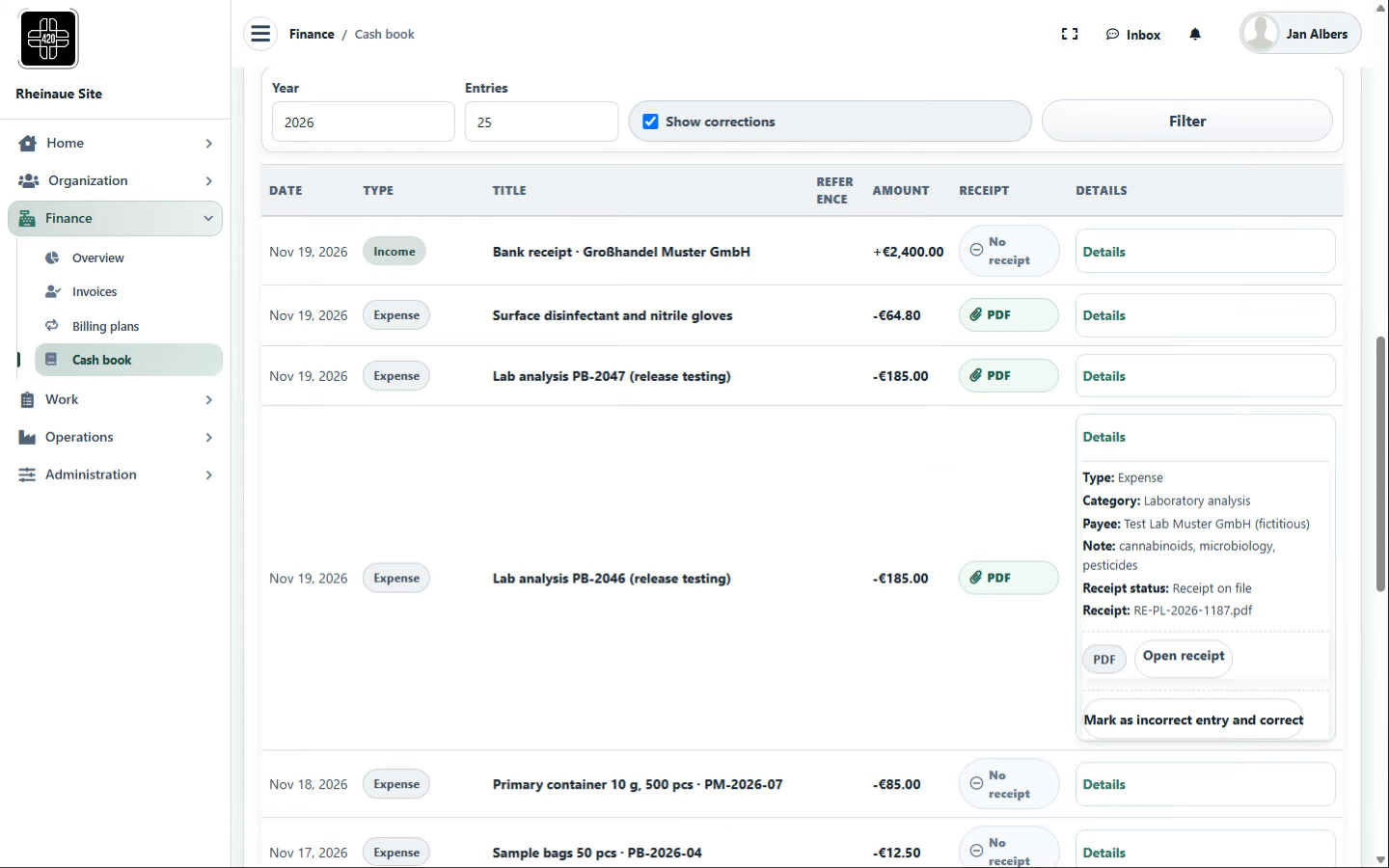
Cash bookIncome and expenses with receipts
- Records
- Income and expenses with a PDF or photo receipt, category, payee or payer and, where applicable, a link to the batch; entries remain immutable in the portal, and incorrect entries are flagged and corrected by a reversing entry; CSV export.
- Evidence documented
- Which income or expense belongs to which transaction or batch, and is the receipt on file?
- In the chain
- Starting point → Cash book → Bank reconciliation
- Works with
- Operations (batch link, materials), Organization (business partners, documents as evidence), Administration (change records)
- Expansion (optional)
- Cost analysis per batch
Contributing areas
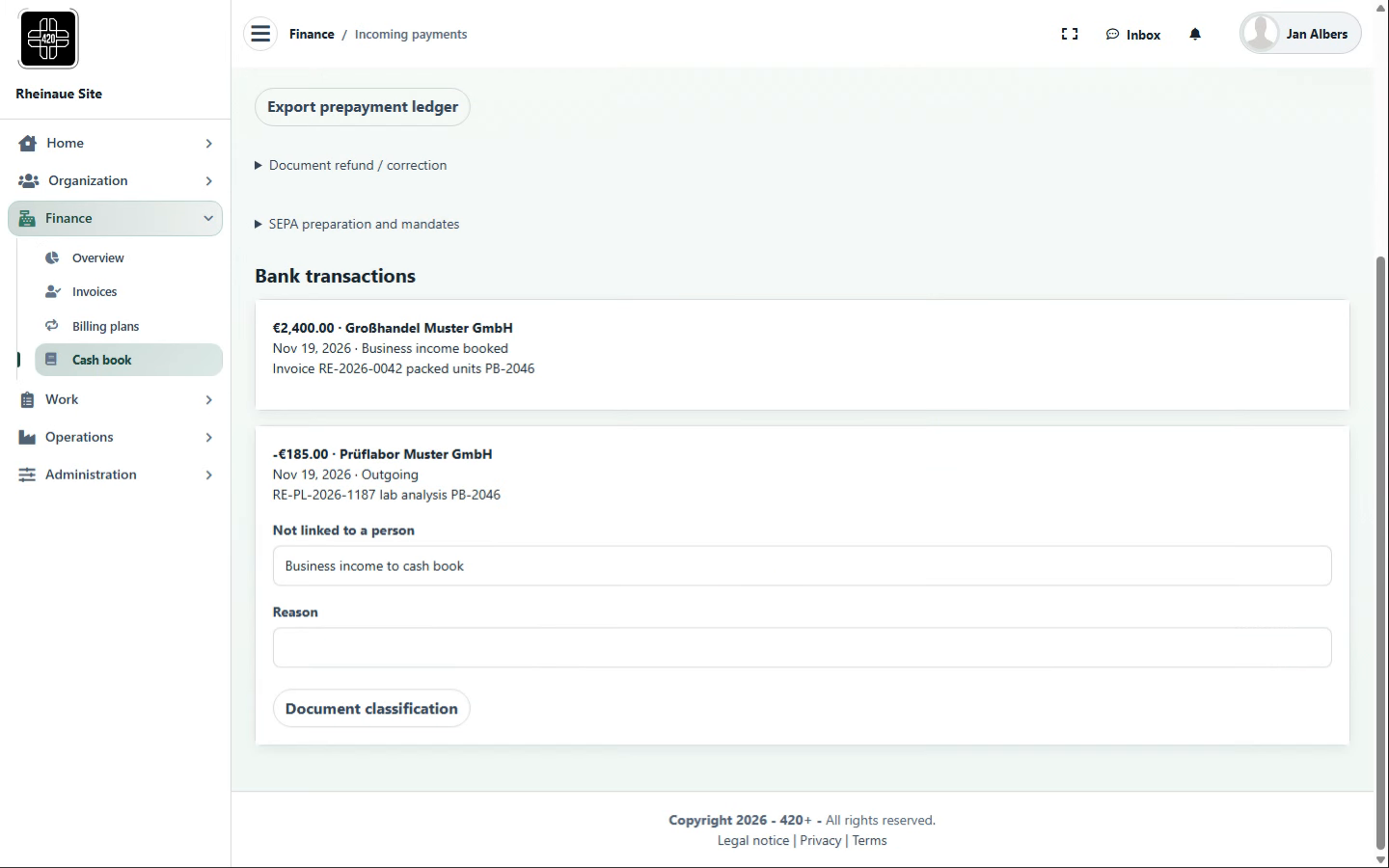
Bank reconciliationMatch bank transactions
- Records
- Bank transactions from a bank connection or a CSV import; incoming payments are matched by payment reference, and other transactions are classified with a reason.
- Evidence documented
- Is each bank transaction matched to a transaction or classified with a reason?
- In the chain
- Cash book → Bank reconciliation → Account balance
- Works with
- Organization (business partners), Operations (order in shipment)
- Expansion (optional)
- Automatic reconciliation at fixed intervals
Contributing areas
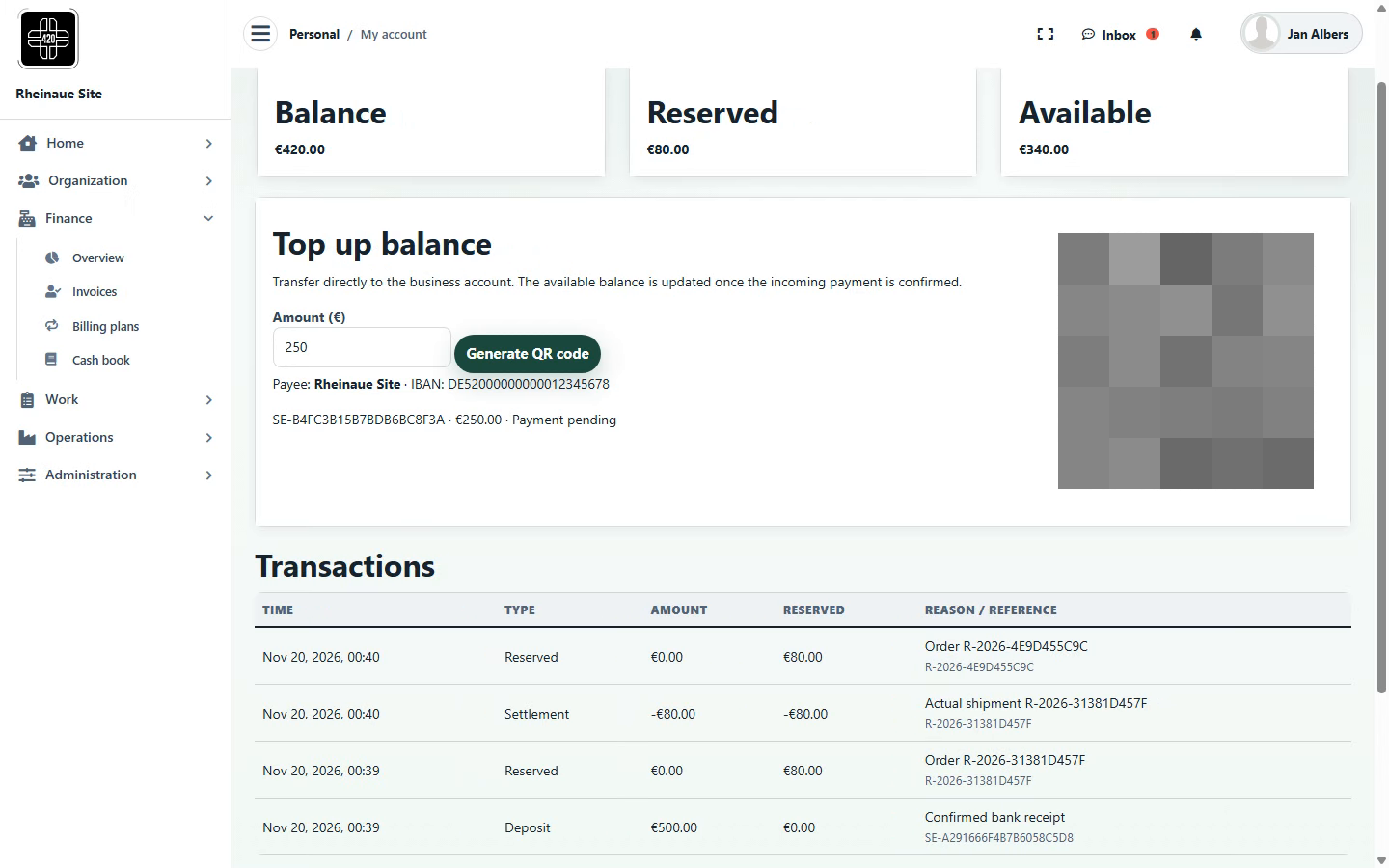
Account balancePayment by payment QR code and portal balance
- Records
- Portal credit balances with deposits made using a payment QR code and a unique reference; an amount is shown as available in the portal only after the bank receipt has been confirmed in bank reconciliation. An order can reserve the amount; upon actual shipment, the amount is allocated to the order and settled in the portal, with an order reference in each case.
- Evidence documented
- Which payment is confirmed in bank reconciliation, which amount is reserved in the portal for which order, and when was it allocated to and settled against the order?
- In the chain
- Bank reconciliation → Account balance → Invoices
- Works with
- Operations (orders and shipment), Organization (people and access)
- Expansion (optional)
- Payment terms and credit limits for business partners
Contributing areas
InvoicesRecurring invoices and open items
- Records
- Recurring invoices with rate, interval and due date; open items and dunning levels.
- Evidence documented
- What is due, what is outstanding, and where has a reminder been sent?
- In the chain
- Account balance → Invoices → Overview
- Works with
- Organization (recipients), Administration (billing models in the settings)
- Expansion (optional)
- Outgoing invoices to business partners per order
Contributing areas
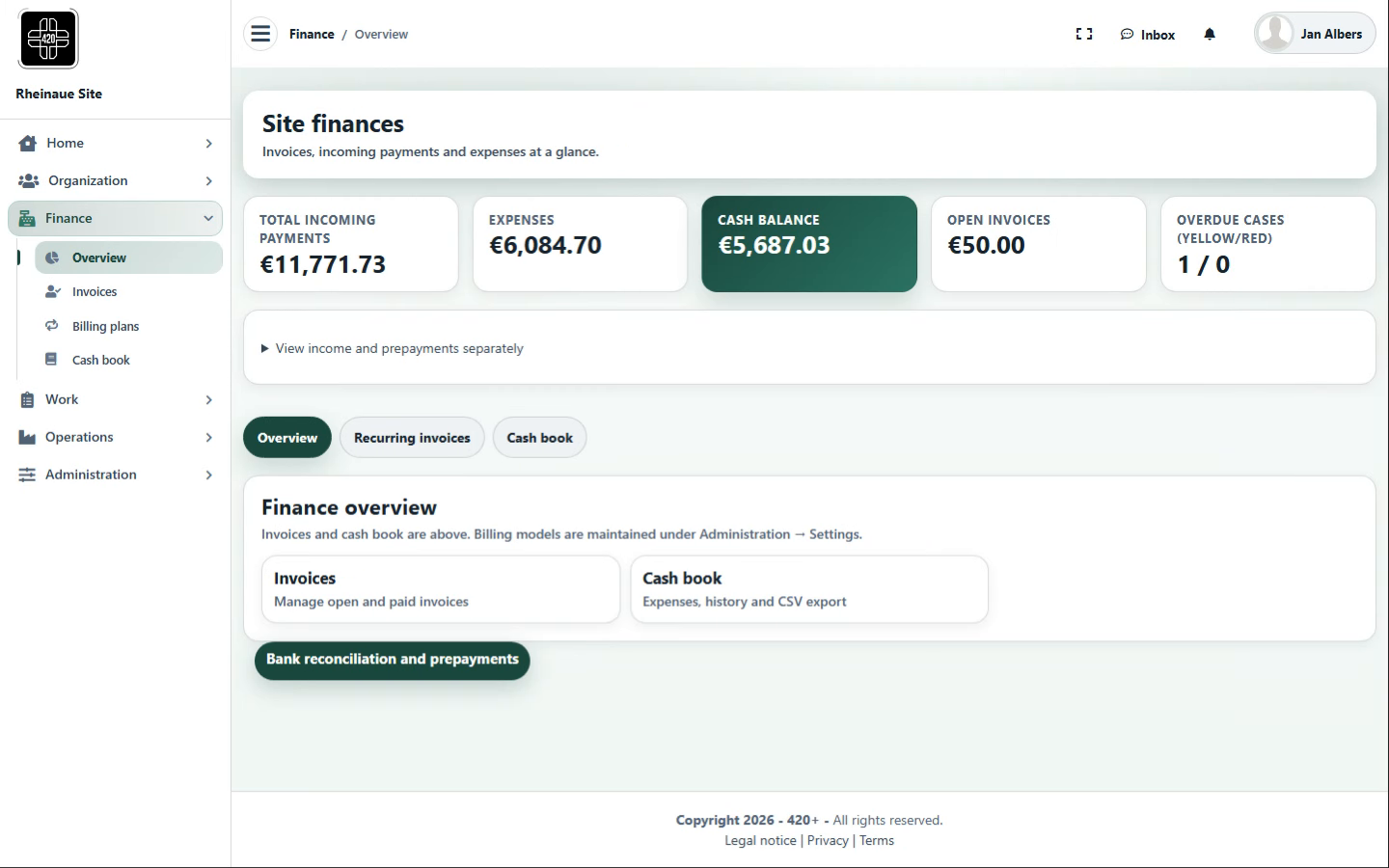
OverviewCash balance and key figures
- Records
- Cash balance, incoming payments, expenses, open invoices and dunning cases at a glance.
- Evidence documented
- What is the site’s financial position, and what is outstanding?
- In the chain
- Invoices → Overview → Home
- Works with
- Home (cash balance at a glance), Administration (reports)
- Expansion (optional)
- Budgets and cost centers per area
Contributing areas
Workflows, roles, review requirements and links are configurable per site and process; regulatory suitability depends on use, configuration, validation, site procedures and assigned responsibilities at each site.
Original screenshots and recordings from the demo instance with fictional data; individual QR codes have been obscured for security and privacy reasons. The screenshots and recordings are for illustration and do not represent a complete GxP process.
The screenshots show 420+ using a fictional cannabis operation as an example, with fictional process data. The workflows shown may also serve as examples for other regulated sectors. This is not advertising for cannabis or cannabis cultivation associations and does not indicate any licence, approval or regulatory recognition.