
Platform · Work
Four steps, one record.
A task can move through four steps: planning, execution, review and record. Select a step to see what it records, which evidence is linked to it, and which areas contribute.
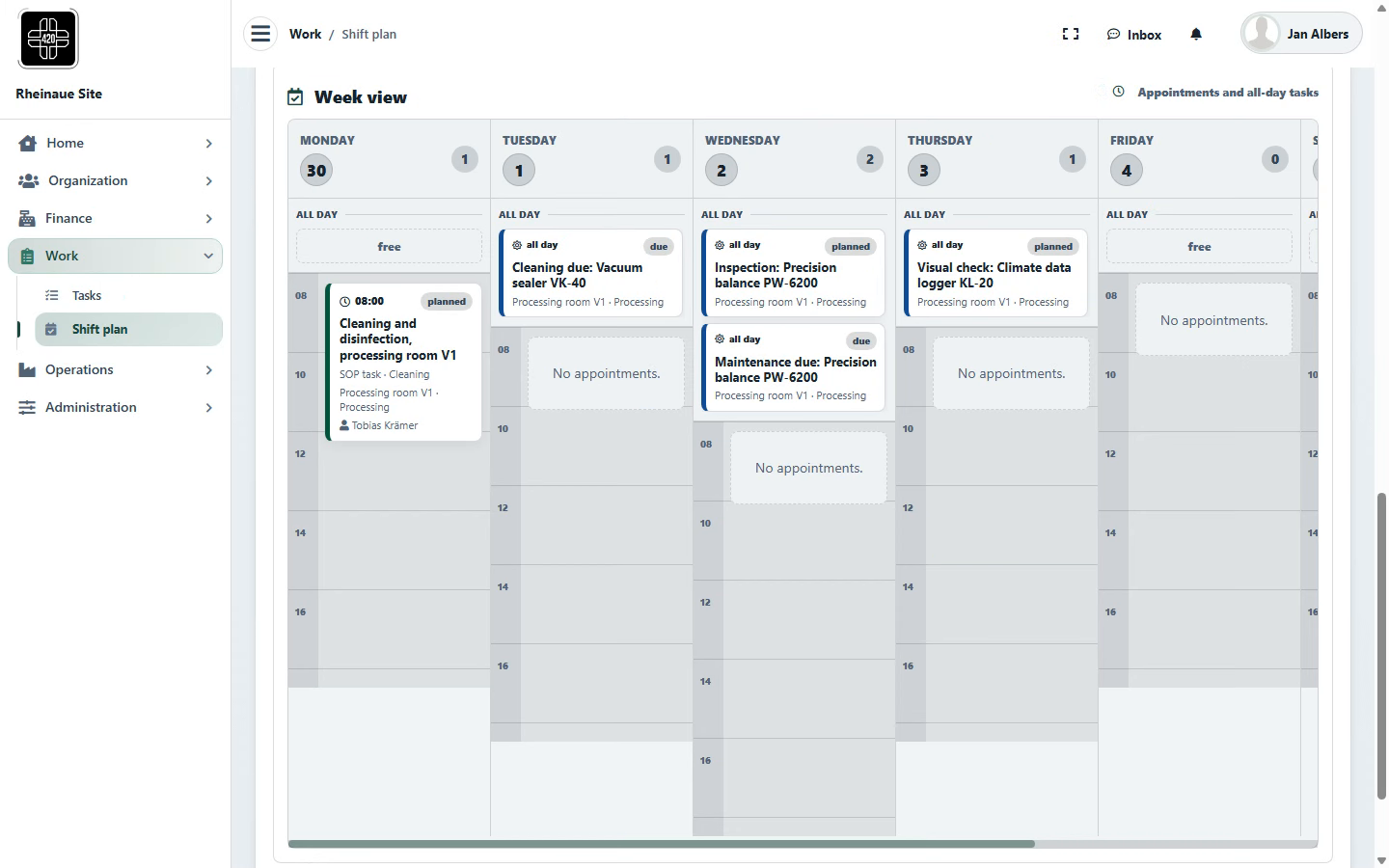
PlanShift plan and due dates
- Records
- Tasks in weekly and monthly views, filtered by source (batch, maintenance and inspection, compliance, follow-up), person, area and status; overdue tasks are flagged.
- Evidence documented
- Are recurring and event-driven activities planned, assigned to a person and tracked against due dates?EU GMP Part I, Chapter 3 for maintenance and calibration; Chapter 2 where responsibilities are concerned
- In the chain
- Operations (intervals, phases) → Plan → Execute
- Works with
- Operations (maintenance and calibration intervals, batch phases), Organization (team members and roles), Home (My tasks)
- Expansion (optional)
- Shift planning based on qualifications and availability
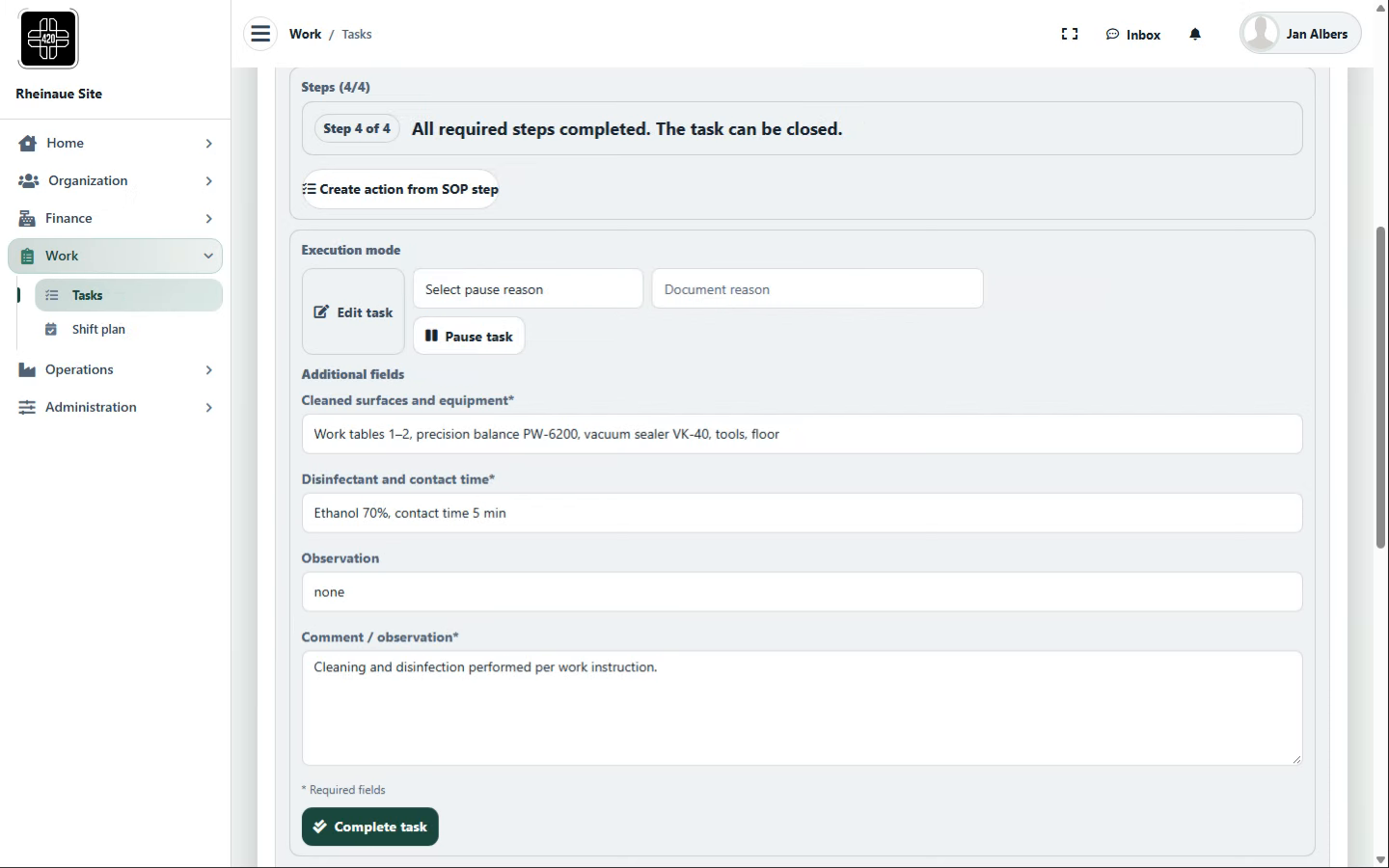
ExecuteTask under a work instruction
- Records
- Steps from the assigned work instruction (SOP) in its current version, measurements, materials and equipment used, and comments; each entry is recorded with the user and a timestamp.
- Evidence documented
- Which version of the instruction was used, and what was measured or consumed, by whom and when?EU GMP Part I, Chapter 4; Chapter 5 where manufacturing operations are concerned; Annex 11
- In the chain
- Plan → Execute → Review
- Works with
- Administration (SOP templates and versions), Operations (inventory consumption, equipment in the area), Organization (documents)
- Expansion (optional)
- Tablet view at the workstation; capture of measurements from sensors
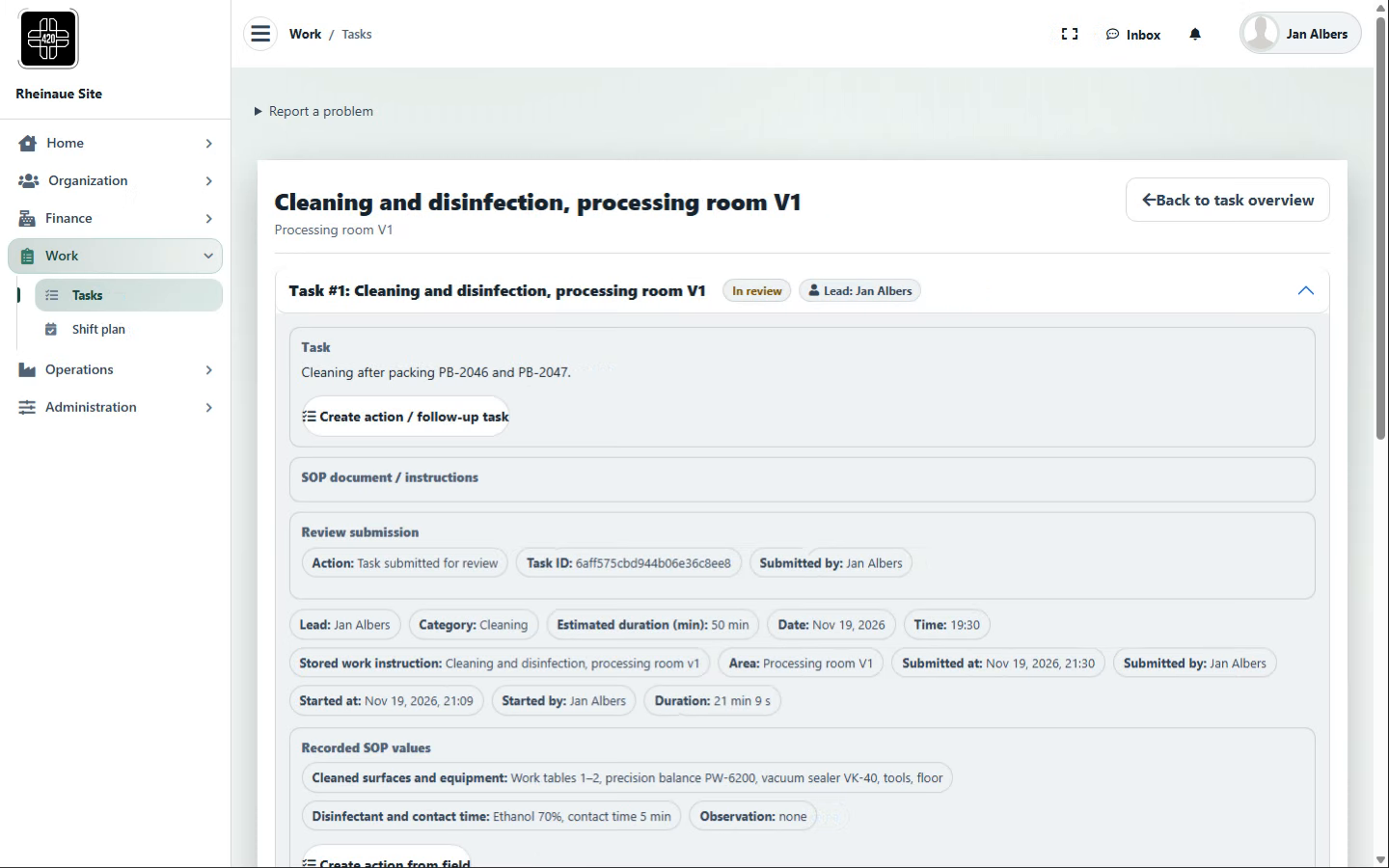
ReviewSecond-person review and deviations
- Records
- Review by a second person where the work instruction requires it; the performing user cannot review their own task. Individual steps can be returned for rework with a note; deviations and follow-up actions can be raised directly from a step.
- Evidence documented
- Was the result reviewed, and was an identified deviation recorded with a follow-up action?EU GMP Part I, Chapters 1 and 4; Annex 11
- In the chain
- Execute → Review → Record
- Works with
- Administration (deviations and reports), Organization (roles and responsibilities)
- Expansion (optional)
- Risk-based review of defined exceptions (review by exception); required reviews remain in place
Contributing areas
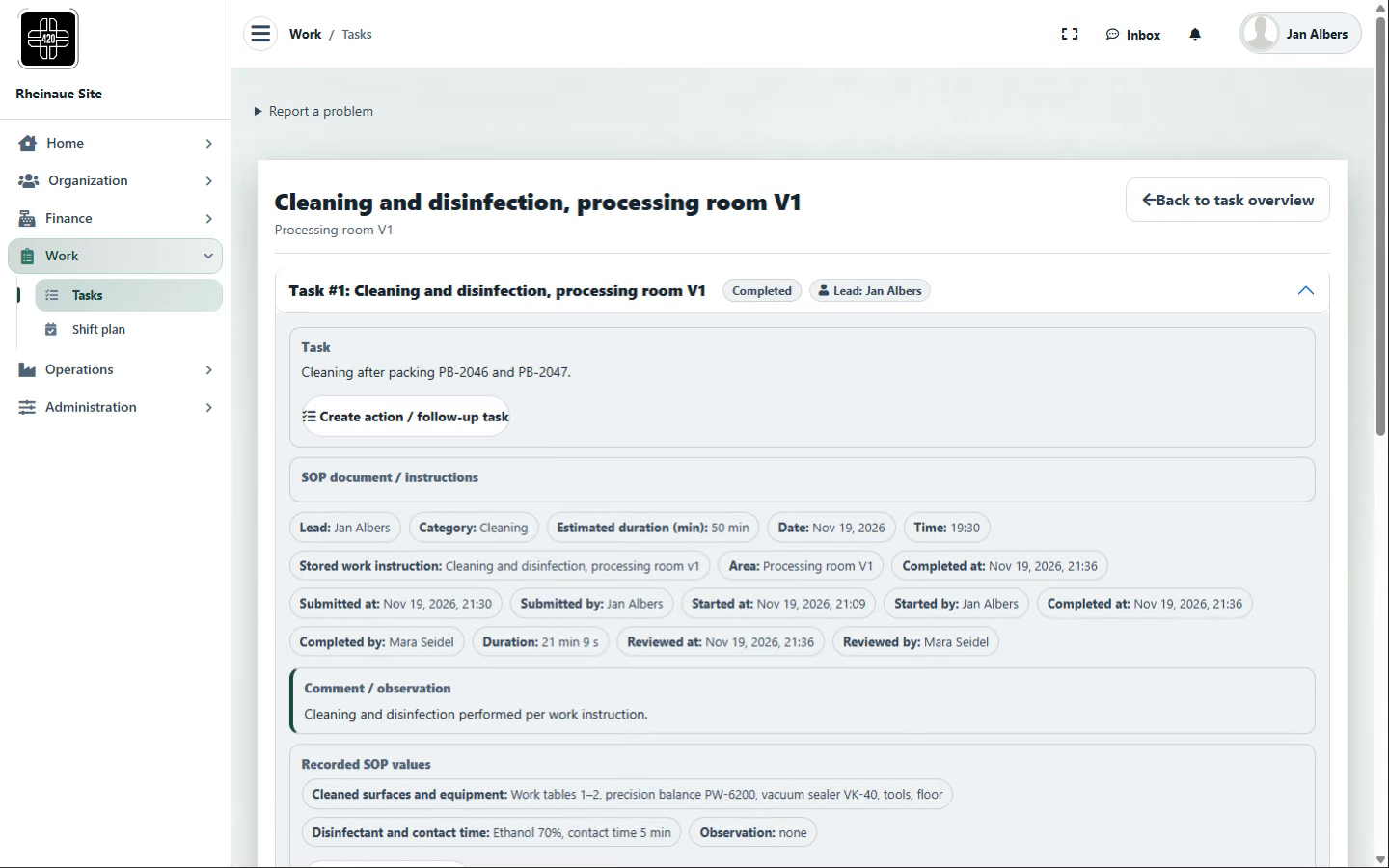
RecordCompleted task linked to batch, area or equipment
- Records
- Completed tasks with the result and the performing and reviewing users, linked to a batch, area or piece of equipment.
- Evidence documented
- Is the activity documented against the batch, area or equipment it is needed for in a review, release or audit?EU GMP Part I, Chapter 4; Chapter 5 where manufacturing and batch records are concerned
- In the chain
- Review → Record → Operations (phase and status changes)
- Works with
- Operations (batch, area, equipment), Administration (change records and reports)
- Expansion (optional)
- Analysis of task histories (process mining)
Contributing areas
Workflows, roles, review requirements and links are configurable per site and process; regulatory suitability depends on use, configuration, validation, site procedures and assigned responsibilities at each site.
Original screenshots from the demo instance with fictional data; the screenshots are for illustration and do not represent a complete GxP process.
The screenshots show 420+ using a fictional cannabis operation as an example, with fictional process data. The workflows shown may also serve as examples for other regulated sectors. This is not advertising for cannabis or cannabis cultivation associations and does not indicate any licence, approval or regulatory recognition.